Showing posts with label App Updates. Show all posts

Wednesday, January 29, 2014

Flipboard updates iOS app, revamps Cover Stories to surface cool content


Flipboard, the wildly successful magazine-format news aggregator, has updated its iPhone and iPad application with a pair of tweaks while announcing a redesign of Cover Stories aimed at making your story highlights resemble newspaper front pages. In addition to some bug fixes and performance improvements, Flipboard 2.2.3 now makes it possible to add bookmarks to your Safari Reading List.
Another minor change: you can now copy an article’s URL in your device’s browser, then open Flipboard for the option to add it to your magazines. You’ll be more interested in the redesign of Cover Stories which Flipboard hopes will surface more relevant content from your subscriptions…
The new-look Cover Stories taps smart algorithms which surface content based on how frequently you visit the section. Now key highlights from your subscriptions are presented in a condensed newspaper-like format.
The stories are organized by source, social network and topic, with story groups neatly indicated at the top of each page. If you want to dive deep into the story, just tap the More link at the bottom of the page.
See some flips by a friend you don’t like? Worry not, you can easily mute anyone.
The algorithms adapt to your reading habits so your Cover Stories get more relevant the more you use the section.
Here’s a quick video walkthrough.
Flipboard says the new design is available on iOS/Android smartphones/tablets, with BlackBerry and Windows Phone versions being under consideration. This is a staggered roll-out so not everyone will get the new Cover Stories right away.

Wednesday, December 18, 2013

Infuse gains more video formats for free users, variable speed scrubbing and more


FireCore‘s versatile iPhone and iPad media player, Infuse, recently received a massive version 2.0 update sporting iOS 7-friendly interface while going free for everyone, with a couple advanced features locked behind a Pro in-app purchase. In today’s free update, Infuse 2.1 unlocks more video formats for free users while adding variable speed scrubbing option, support for an additional subtitle format, better translations and the usual assortment of bug fixes and performance improvements…
Free users can now play a wider variety of video formats and take advantage of subtitles in .smi format. The HTML-formated SAMI subtitle file type was developed in 1998 as a Microsoft accessibility initiative and is used nowadays to provide closed caption support for multimedia formats.
Content artwork as well as Czech, Greek, Hebrew, Hungarian and Spanish translations have been improved in this Infuse release. Another handy new feature is the variable speed scrubbing option which works just like the iOS system media player.

This lets you fast-forward or rewind your movie with precise control, simply by holding the playback position dot and dragging your finger down for finer control (or up to increase the scrubbing speed).
Like before, advanced features like network streaming, AirPlay, Dolby Digital mobile surround sound, support for even more file types and other perks are available as a one-time in-app purchase.
As far as the sound goes, Infuse supports AAC, AC3, FLAC, MP3 and OGG audio tracks and sports licensed Dolby Digital Plus mobile surround sound support. Though DTS isn’t supported, that feature is being prioritized so it’s a matter of when, not if.

The application will happily crunch 3GP, AVI, ASF, DVR-MS, FLV, M4V, MKV, MOV, MP4, OGM, OGV, WebM, WMV and WTV video formats and render DVB, DVDsub, PGS, SSA/ASS, SRT, SUB, Timed Text, VobSub, XSUB and MSI subtitle formats, with perhaps the most robust implementation of AirPlay subtitle streaming I’ve seen yet.
The app takes media files via the iTunes File Sharing method or directly, from FTP, WebDAB or network-attached storage. More on streaming from other devices, including Time Capsule, can be found here.
Other features in the works for Infuse 2.2: metadata for shared files, lots of networking improvements, sound boosting, support for Synology NAS along with folder creation and the ability to copy files directly from a NAS (or SMB) to the app and more.

Friday, December 13, 2013

Yelp updated with local movie listings, in-app ticket purchasing, and more


Yelp has posted a nice little update for its iOS client today. The update, which brings the app to version 7.4, sports a number of new features including movie listings and in-app movie ticket purchasing courtesy of Fandango.
Also new in the app is in-line review business photos. Yelp now shows business photos taken by Yelp users next to their review, so you can get a better idea of how popular a club is, or how delicious a particular entree was…
Here’s the full 7.4 change log:
- We’re now showing business photos from Yelpers next to their reviews. No more needing to imagine just how decadent the dessert was or how hoppin’ the club was, just take a look!
- We’re also now showing current movie listings and showtimes at your local theater. Thanks to our friends at Fandango, you can purchase your ticket right from the page. So stop stalling and go see the new Hobbit movie, we know you want to.
- Happy holidays from the Yelp Mobile team!
Yelp has been making some major moves with its service, and subsequently its mobile app, over the past several months. In November, it added a new SeatMe feature for making reservations at popular food and drink locations.
If you’d like to check out the new Yelp app, you can find the latest version in the App Storefor free.

Thursday, December 12, 2013

You can now control iTunes Radio via Remote app


After refreshing its free Remote app for the iPhone and iPad with some radical redesign to match the overall iOS 7 aesthetics, Apple has just put out a minor update adding a nicely done ability to control iTunes Radio from your iOS device.
But rather than stream iTunes Radio songs directly (and what would the point be in doing so knowing iTunes Radio is available within the stock iOS 7 Music app), the application simply controls the feature running in iTunes for Mac or Windows.
Previously, you could only control playback of music and other media kept locally in your iTunes library. If anything, this update will go down in history as a handy little enhancement that makes it ridiculously easy to control your iTunes Radio stations, skip songs and more, right across the room…
As long as your Mac or Windows PC running iTunes is on the same Wi-Fi network as your iPhone, iPod touch or iPad device running the new Remote 4.1, you’ll be able to access the new iTunes Radio tab at the bottom (see the images top of post).

The Now Playing screen for iTunes Radio in Remote 4.1 for iPhone and iPad.
Hitting the More… button lets you star a song like you would on a computer (or in the stock iOS 7 Music app), create a new station from the currently playing song, choose to never play this song again, play more songs like this or start the iTunes visualizer.

One caveat: you can’t use Remote to control iTunes Radio on your Apple TV.
In other Apple app updates today, iTunes Movie Trailers has been refreshed with performance improvements and bug fixes. And in a similar vein, the iTunes U app has resolved an issue where the playback speed button would not work as expected.

Wednesday, December 11, 2013

Google Maps now lets you see flight, hotel and restaurant reservations from Gmail


It’s been some time since we’ve seen a meaningful update to Google Maps for iPhone and iPad, especially givenGoogle Maps is probably the Internet giant’s most popular product, afterSearch.
As if reading our mind, just an hour ago the firm has quietly pushed a minor update into the App Store. The new Google Maps version 2.5 comes with a few bug fixes and brings with it a cool new feature which lets you see your reservations from Gmail on the map.
Say you made a flight, hotel or restaurant reservation. Upon receiving the confirmation email in Gmail, Google can now take this information (they are already doing this for Google Now cards, by the way), extract the address and show you precise locations for these items within the Google Maps iOS app.
It’s a minor, albeit welcome, enhancement that will up competition a notch for Apple’s own iOS Maps app. I love how little things like this make Google Maps more integrated with other Google apps. We’ve seen Google do this frequently and my guess is they’ll continue to leverage their premium iOS apps to build a platform on top of iOS, so to speak…
iTunes release notes list no changes aside from this new feature and bug fixes.
By the way, you haven’t forgotten about the caching trick, have you?
To make the currently viewed map and the surrounding areas available offline, tap the search box and type in ‘ok maps’ and hit Search. There should appear a large Google Maps icon that’s progressively filling as the area gets processed for offline caching.
The download comes in at a rather paltry eleven megabytes. The app is universal so all your form-factor iDevices are supported natively, as long as they run iOS 6 or later.

Tuesday, December 10, 2013

Twitter 6.0 is out with new design, DM photo-sharing and more


Twitter has updated its official iOS client today, bringing the app to version 6.0. The update is a fairly significant one, bringing about a new look and feel for the app, as well as photo-sharing for direct messages, improved search and more.
The new look pushes the UI of the Twitter app further into iOS 7 territory. There’s more white spacing—the menu bar at the bottom is now all white— and texts and graphics seem flatter. And Twitter has added various other enhancements…
Here’s the 6.0 change log:
New design.
- Refreshed look and feel. Home, Activity and Discover now available by swiping in Timelines. Easier access to DMs.
Share photos in Direct Messages.
- Send and receive photos via DMs.
Notifications from your network.
- Choose to view replies, retweets, and favorites from only the people that you follow.
Search got even easier.
- Access tweets from people you follow and near you, directly from search results.
Safari Reading List support
- Save web articles to read later with Safari Reading List
I actual really like the design tweaks Twitter has made today, and I especially like that they’ve simplified the menu bar. Where as before it read Home-Connect-Discover-Me, now it reads Timelines-Notifications-Messages-Me. Much more clear.

Monday, December 9, 2013

Amazon’s Cloud Drive Photos app updated with iPad support, video playback and more


Folks who use Amazon’s Cloud Drive service will be happy to hear that it has posted a significant update for its iOS Photos client this afternoon. The update, which brings the app to version 2.0, adds native iPad support, video playback and other improvements.
Here’s the 2.0 change log:
• Native support for iPad and iPad mini
• Protect your personal videos in your Cloud Drive
• Upload or download video up to 2GB or 20 minutes in length
• Playback saved video streamed instantly to any device
• Crash and bug fixes
Amazon introduced the Cloud Drive Photos app in May of this year, as a way of making it easier for iOS users to upload their photos and videos to their Cloud Drive accounts. It also allows them to view these files, as there’s no official Cloud Drive iOS client yet.
Of course you’ll need a Cloud Drive account to take advantage of this app, and if you don’t already have one, Amazon is giving away 5GB of storage for free. For those that do have one, you’ll want to grab this update, which you can find in the App Store for free.

Thursday, December 5, 2013

Google updates Search iOS app with support for French, German and Japanese


Google issued a major mid-August update to its free Search app for the iPhone and iPad with new Google Now cards for flights, reservations, package delivery information and more.
And last month, the firm followed up with another sweet update that implemented ‘OK Google’ hands-free voice control functionality, support for single sign-on, reminders, alerts for delayed flights and upcoming appointments/events and other perks.
This afternoon, the Internet giant pushed a minor update which expands international support to three new languages: French, German and Japanese…
As per Google’s blog post announcement, the Search app now supports French, German and Japanese for both voice queries and spoken answers.
Although some voice queries still yield spoken answers in English, Google says customers will now get spoken answers to many of their questions in French, German and Japanese with the updated Search app.
To try it out, simply tap the microphone in the search box and ask for anything you’re looking for. If you need some coffee in Munich, just say “Wo bekomme ich Kaffee in München?” to get a list of local options.
Wondering what the height of the Eiffel tower is? Get a quick answer by asking, “Quelle est la hauteur de la Tour Eiffel?”.
Maybe you need to know who invented the transistor ? Try asking in Japanese for “トランジスタを発明したのはだれ?”
The search monster is working on adding more languages in the future.
The universal app requires an iDevice capable of running iOS 6 or later.

Wednesday, December 4, 2013

Plex app updated with new look for iOS 7


Plex for iOS has been updated with an all new design taking cues from iOS 7. As expected, translucency, new buttons and icons are at the heart of this update, which doesn’t really bring anything new in terms of features, besides a new player for music and videos and the ability to detect URLs on the clipboard for quick queuing to myPlex.
This update also brings the usual performance and stability improvements that are to be expected.
The app is a free upgrade for existing users. For everybody else, it is available in the App Store for $4.99.

Google Wallet gets single sign-on, lets you add credit card via iDevice camera


Following a significant delay, the Internet giant Google finally released its free Wallet for iPhone app back in September 2013. But in bringing its troubled mobile payment service to Apple’s platform, Google left out some of the capabilities found in Wallet’s Android counterpart, such as the ability to make in-store payments with the app (not surprising considering iPhones lack NFC). The company added a few new features via two recent updates and today the Wallet app has been refreshed with some new functionality.
For starters, you can now instantly sign on to Wallet if you use other iOS apps from Google. Google previously rolled out this rather useful feature to its popular iOS apps, allowing you to, say, just tap your Google Account already used in Chrome in order to log in to the Gmail iOS app.
Go past the fold for additional details…
Google Wallet version 2.0.12117 has another cool feature: now you can add a credit or debit card to your Wallet account simply by taking a picture of it using your iOS device’s camera. This will capture automatically not only the credit card number, but the expiration date as well.
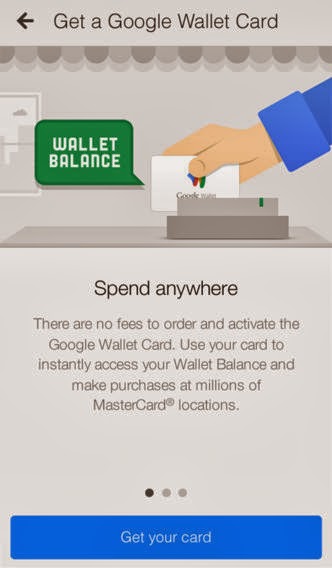
In line with rumors, Google recently launched a physical prepaid debit card to users in the United States, which can be used to make payments with your Wallet account. If you own a Google Wallet Card, the app will now allow you to use it to spend your Wallet Balance at millions of MasterCard locations.
As a bonus, you’ll be also able to withdraw cash at any ATM.
The universal app weighs 10.4MB and requires an iOS device capable of running iOS 6 or later.

Friday, November 29, 2013

Boxie goes free: everyone can now prettify their Dropbox


As a Dropbox power user on a daily basis, I am very dissatisfied with their mobile app because it leaves a lot to be desired in terms of advanced capabilities, so much so that I’ve recently become a Boxie convert and never looked back.
This awesome Dropbox client for the iPhone and iPad used to cost two bucks so I imagine the price tag must have put off a lot of would-be users, especially give Dropbox’s own official iPhone and iPad client is free in the App Store and good enough for most of casual Dropbox users.
Those who depend on Dropbox will be happy learning that developer Tapwings has now completely removed barrier to entry because starting today, you can download Boxie free from the App Store (the price cut is permanent).
Dropbox fans would be wise to immediately treat themselves to this awesome app which will soup up your Dropbox experience with the elegant user interface while allowing for some advanced features not supported by Dropbox’s own app.
I’m talking stuff like moving an item in a folder via drag-and-drop, per-folder sorting, ZIP archive extraction, direct Dropbox-to-Dropbox transfer and lots more…
The new Boxie version 1.2 introduces markdown documents support (plain text only), a new delete confirmation switch available within the app’s settings, localizations for French, Japanese and Russian, a FAQ in user settings and a bunch of fixes and tweaks.

Boxie now honors your Region Format in iOS Settings, uses Finder-like format for alphabetical order sort and clears notifications in the iOS Notification Center after you tap on them.
Oh, and they updated the app icon, too.

Here’s everything that’s new in Boxie 1.2
- added In-App Purchase support with Pro features included in the Power pack
– updated plain text preview, with text encoding selection, markdown documents support (shown as plain text), tap to show/dismiss bars
– added delete confirmation in user settings
– fixed alphabetical order sort to be Finder-like
– fixed shared folder upload (now it is possible to upload to a shared folder, thanks to Dropbox staff for the support on this!)
– updated app icon
– updated date format to match the Region Format in iOS settings
– added FAQ screen in user settings
– added third-party screen in user settings
– added Twitter follow options in user settings
– fixed quick navigation menu tappable area
– fixed passcode potential issue when setting a time interval
– fixed occasional passcode hang
– fixed offline navigation issues with cached items
– notifications in Notification Center are now cleaned when tapping on them
– added localizations: French, Japanese, Russian
– various minor fixes and optimizations
Should the basic feature set in Boxie leave you wanting for more, Pro features are available as a $2.99 in-app purchase. If you previously bought Boxie, you’re automatically entitled to unlock the Pro features included in the Power pack for free.

Monday, November 25, 2013

Yelp updated with new SeatMe feature for making restaurant reservations


Folks looking to take advantage of the holidays this week by venturing out to their favorite eating spots may want to check out the latest version of Yelp. The iOS client was updated today with a new feature that allows you to make restaurant reservations from within the app.
The new feature is the direct result of Yelp’s summer acquisition of SeatMe, a tech start-up that developed a solution for making online reservations at popular food and drink locations, and reduces the friction between discovering a great place on Yelp and experiencing it…
From the official Yelp blog:
You may recall that SeatMe joined the Yelp family back in July and now we’re excited to introduce the ability to book SeatMe reservations directly from a restaurant or nightlife venue’s Yelp listing! The feature is available online and on iOS and Android…
…Since waiting in line isn’t your favorite thing to do (just guessing, but pretty sure I’m right), whip out Yelp and nab a reso before you head out. Now instead of just drooling over the review highlights for Oakland, CA hot spot Hopscotch (duck fat chips and sweet potato gnocchi?!) you can take your fantasizing to the next level and snag a reservation on the spot.
Even if you’re not a foodie, SeatMe can help you plan a night out. Yelp says that 20% of SeatMe venues are bars and lounges so you can reserve a seat or a bar table at your favorite watering hole. In the iOS app, making a reservation is very quick—only took me a couple of taps.
It looks like this SeatMe feature is going to replace Yelp’s integration with OpenTable. The two companies were definitely competitors before the buyout, and in today’s blog post, Yelp’s Alex Kvamme noted that bars and restaurants “love SeatMe” because of their flat fee structure.
At any rate, you can grab the latest version of the Yelp app for iPhone and iPad in the App Store for free. Also, keep in mind that SeatMe isn’t available for all locations yet.

Friday, November 22, 2013

Amazon app redesigned for iOS 7


Just in time for the holidays, Amazon has redesigned its iPhone and iPad app for iOS 7. The update comes a week before Black Friday—the beginning of the biggest shopping weekend of the year for most retailers.
The app gives users virtually full access to the ecommerce giant’s staggering selection of products, which ranges from electronics to clothes, and everything in between. And now it looks right at home on iOS 7 devices…
I love the new look of the app, and find it easier to browse and locate things. But I also like the design of iOS 7. For those who don’t like the new “white space” design trend, you’re probably not going to like this either.
Amazon also mentions that bug fixes are included in today’s update, so unless you absolutely hate the new look, it’s probably worth upgrading. You can find the latest version of the Amazon App in the App Store for free.

Thursday, November 21, 2013

Apple adds new features to iWork for iOS and Mac


As you know, Apple earlier in the month has promised to bring back dozens of recently-removed iWork features over the course of six months. In keeping with that promise, a barrage of updates has gone live Wednesday on the App Store and Mac App Store, adding new capabilities to the iWork suite of applications on Macs, iPhones, iPads and iPods.
This is the first major refresh since last month’s downgrade stealthily removed arguably less popular though essential features in favor of cross-platform document compatibility between OS X, iOS and the web.
I’ve included full release notes and a couple of highlights right after the break…
The updates are now live on the App Store and the Mac App Store so check out the Updates tab in the App Store storefront on your iOS devices, or choose Software Update… from your Mac’s Apple menu.
Here are release notes for both Mac and iOS updates.

iWork for OS X

Pages version 5.0.1 ($19.99 290MB download) contains stability improvements and bug fixes, along with the ability to customize the toolbar with your most important tools. Also, the new Pages version now has center and edge guides enabled by default.
Numbers version 3.0.1 ($19.99 190MB download) lets you customize the toolbar with your most important tools, set default zoom in Preferences and it preserves your window size and placement on Save.
Keynote version 6.0.1 ($19.99 444MB download) includes new transitions including Blinds, Color Planes, Confetti, Fall, Perspective, Pivot and Swoosh; new builds including Blinds, Fly in, Fly out, Orbital, Pivot, Scale Big and Swoosh; and the ability to customize the toolbar with your most important tools.

iWork for iOS

Pages version 2.0.1 ($9.99 266MB download), just like new versions of Numbers and Keynote, brings iOS 6 support and the ability to open a document in another app. The updated versions is a 231MB download.
Numbers version 2.0.1 ($9.99 234MB download) includes various stability improvements and bug fixes.
Keynote version 2.0.1 ($9.99 463MB download) includes new transitions including Blinds, Color Planes, Confetti, Fall, Perspective, Pivot and Swoosh; new builds including Blinds, Fly in, Fly out, Orbital, Pivot, Scale Big and Swoosh; and stability improvements and bug fixes.
Keep in mind these are free upgrades from previous versions if you have upgraded to Mavericks.
Apple during the October 2013 iPad keynote announced making iPhoto, iMovie, Pages, Numbers and Keynote available as free downloads to customers who had purchased new iOS devices. In another surprising move, the iPhone maker has made OS X Mavericks and future updates free to Mac users.

Wednesday, November 20, 2013

Tweetbot for Mac updated with quick notification replies, smoother scrolling


Tapbots has updated Tweetbot for Mac this afternoon, bringing the app to version 1.4. The update brings about the ability for OS X Mavericks users to reply to tweets or direct messages, directly from notifications.
The new app also includes a number of other welcome improvements as well, such as smoother scrolling (10.9 only) and faster refreshing on lists and saved searches. And as usual, there are a flurry of bug fixes…
Here is the full 1.4 change log:
- Smoother Scrolling (10.9 only)
- You can now reply to tweets/DMs from the notification itself (10.9 only)
- Lists and saved searches now refresh every 2 minutes instead of 4
- Fixed the issue where you’d see ‘Please enable wifi’ when fetching your location while composing a tweet
- Fixed the issue where searching your timeline, then scrolling to top then dismissing search field could move your timeline to the top
- Fixed a potential issue where app could hang when using secondary windows
- Fixed a few issues on 10.7
- Various bug fixes and improvements for 10.9
For me, the new quick notification reply feature is huge. It works just like it does with iMessage or email: tapping on an appropriate Tweetbot notification allows you to ‘quick reply’ without having to open the app.
I also instantly noticed how much smoother the scrolling is. In fact the entire app feels better. Again, much of this is only for OS X Mavericks users. But for those that are, who use Tweetbot, this update is a no-brainer.

Tumblr redesigns iPhone and iPad app for iOS 7


Tumblr, the popular blogging platform that Yahoo acquired for north of $1 billion earlier in the year, has won me over with its sleek little iOS app.
I’m sure the millions of mobile bloggers would agree that Tumblr for iPhone lets really just about anyone publish their own news stories, images, videos and other content in just a few taps, without too much hassle or messing with complicated CMSs.
Though Tumblr wasn’t immediately updated for the new iOS 7 look following the software’s September 18 release, today’s refresh has seen to that. Tumblr for iPhone and iPad has been bumped to version 3.5 and the biggest news is of course the revamped user interface which now follows overall aesthetics and animations of Apple’s latest mobile OS.
As the saying goes, that’s not all for Tumbler now has a few new tricks up its sleeve that allow for even easier mobile blogging. As per usual, I’ve included a few nice screenies along with some highlights after the break…
The team says Tumblr is now noticeably faster and I can attest to that from first-hand experience. Both the post compose screen (depicted on the upper left screenie) as well as Dashboard have been completely revamped.
The Explore screen now features a line of animated hashtag topics at the top. Creating a post no longer requires a preview to get a sense what the published story will look like live because the composer adopts WYSIWYG principles, a Godsent treat on the iPad’s larger canvas.
Subtle iOS 7-like animations are all over the place. For example, the tab bar will expand outwards whenever a notification needs displaying. And when someone likes or reblogs your post, Tumblr will put up a nice in-app notification.
Post tagging is made easier with autocomplete for tags.
Many users don’t bother to apply any tags to their post and Tumblr’s improved search, which rolled out last month. This enhanced search coupled with autocomplete for tags may push those lazy Tumblr bloggers to reconsider their stance on tagging.


You will also love that Tumblr now features the Activity stream prominently throughout the app via a dedicated tab along the bottom. Folks with multiple Tumblr blogs can now take advantage of a feature called Fast Reblog which will automatically publish your post to a secondary blog, as denoted by the blog’s in-app avatar icon.
Grid view for image or video posts has received a few visual tweaks for a much cleaner experience and there’s a new drop-down calendar for post scheduling.
Here’s your changelog for Tumblr version 3.5:
• Total Dashboard makeover
• New post compose screen
• New post chooser
• New fast reblog
• Tag autocomplete
The 7.8MB universal download requires an iPhone, iPod touch or iPad running iOS 7.

Tuesday, November 19, 2013

Twitter for iOS updated with new search filters and more


Twitter has updated its official iOS client this evening, bringing the app to version 5.13. The update includes improvements for Search and Discover tabs, making it easier to find the content you’re looking for.
Among these improvements are new search filters, which will allow you to quickly navigate to specific people and tweets, and toggle between relevant tweets and ‘top tweets.’ Full release notes are after the fold…
What’s new in version 5.13:
Find exactly what you’re looking for.
•Search results now show content that is filtered to the type of moments you want.
See what’s trending on TV and close by to you. 
•After you’ve browsed through all trends in Discover, you’ll see additional trends about both TV and local content.
Better login verification.
•Take a screenshot of your verification backup code when you enroll or generate a new one
The new search filters work just as you’d expect them to, making it easier than ever to find what you’re looking for. And I imagine the new ‘nearby’ trending timeline could be cool at concerts or pro sporting events.
It’s tough for me because yeah, Twitter is doing some cool stuff with its official iOS app, but the UI just doesn’t measure up to third party apps like Tweetbot or Twitterrific. It’s too busy for me, and tough to follow.
At any rate, if you’d like to check out today’s update, you can find the latest version of Twitter for iOS in the App Store for free. And if you’re not yet, be sure to follow iDownloadBlog on Twitter by clicking here.

Wednesday, November 6, 2013

LastPass password manager gets some iOS 7 love


Though I’ve been syncing my Safari web passwords lately using the new iOS 7 password-syncing feature called iCloud Keychain, I’m still a 1Password type of guy, mainly as iCloud Keychain doesn’t support secure notes, tagging, folders and what not.
That said, I understand AgileBit’s password manager may not be everyone’s cup of tea due to its high asking price ($17.99 for the iPhone/iPad app, plus an additional $49.99 for 1Password for Mac).
But there are other password managers out there and one of them called LastPass is freeand has just received a nice little makeover for iOS 7…
The fresh coat of paint is much welcomed, as the screenies show.
In addition to the visual makeover, LastPass also has a brand new built-in browser interface which – just like 1Password – lets you securely browse websites like Facebook, eBay and PayPal with automatic password log-in, without having to switch to Safari and manually type in or copy-paste your credentials.
The enhanced browser experience now also includes multi-tab support and the ability to print via AirPrint. If you haven’t tried out LastPass yet, I wholeheartedly recommend giving it a quick whirl – chances are you’re going to fall in love with it immediately.
LastPass 3.0 for iOS (iPhone screenshot 003)LastPass 3.0 for iOS (iPhone screenshot 004)
After setting up LastPass on iOS and Mac gear, your passwords will seamlessly sync between devices via a Host Proof Hosting method which the company says prevents anyone from accessing your sensitive data. You can manage all your passwords in-app, see and fill form data, generate new passwords and more.
And if you go premium for $12 per year, additional functionality gets unlocked.
LastPass 3.0 for iOS (iPhone screenshot 005)
Like 1Password, there’s a browser extension though “Safari integration is not possible yet”, according to release notes.
The 10MB universal binary supports any iPhone, iPod touch or iPad running iOS 5 or later and is optimized for the taller screen on the iPhone 5/5s/5c.
The best bit: being cross-platform, LastPass is readily available for iOS, OS X, Android, BlackBerry, Windows and Linux mobile devices and desktops.
There’s also the free LastPass Tab Browser app which combines a full-featured tab browser for the iPad with LastPass integration allowing you to manage your existing accounts and something called LastPass Wallet to manage your credit card information, jot down secure notes, capture photos, record voice clips and more.
Have you tried LastPass yet and what did you think of it?